 Ripple
Data Visualization
Chart Overview
Our charts are built on a shared framework of structural elements and behavioral patterns. By following these standards, we ensure that data remains legible, accessible, and predictable across every application, regardless of the chart type.
Chart Structure
Labels & Descriptions
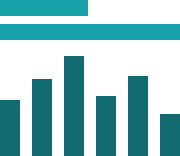
-
Ensure labels are concise and descriptive
Chart labels should immediately inform the user of the chart's content or the story it intends to convey.
-
Pair labels with descriptions to explain what the chart is representing and include key takeaways
This helps to give context to the user before they view the chart.
-
Labels can be visually hidden to enhance page layout
For instance, when showing multiple stacked bar charts that compare the same data categories and color palette, it's clearer to hide individual labels and legends, providing a single group label and legend instead.
-
Do not omit labels in the component code
Chart labels are required to provide essential context for visually impaired users.
Legend

-
Legends must always be visible when there are multiple data categories
Legends are necessary when there are multiple colors used in the chart.
-
Use a single legend when there are multiple charts that share the same data categories
Repeating the legend for each chart is unnecessary and just adds visual clutter.
-
Ensure the order of the legend items corresponds to the order of the chart slices
This helps users quickly associate each slice with its corresponding data.
-
Locate legends on the top or left side of the chart
Although legends can be placed on any side of the chart, it is best to place it on top or on the left side so the user can see the legend descriptions immediately when viewing the chart.
-
Do not use a legend when there is only a single data category
It is unnecessary to use a legend when there is only a single data category with one color.
Axis labels & grid

-
Ensure axis labels accurately represent the data
Units can be added after the label in parenthesis but it is not required if the label is descriptive enough.
-
Axis labels are required for axes that represent numerical data
Axis labels for categorical data can be hidden, especially if the chart label describes the chart well.
- Grid numbers can be shortened once they reach thousands by using the "k", such as "100k" for 100,000
Interactions
Popovers

-
Use popovers to provide additional context, details, and insights
A popover may display specific values or additional metadata that allow users to explore the selected category or data point.
-
Use links in popovers as a way to drill-down into the data
These links can open flyouts that provide more information, reports, or charts for a deeper exploration of the data.
-
Don't hide important information within popovers
Popovers should only include supplemental information that is not critical in the understanding of the data.
Print Mode

-
Display all chart data when printing
Add any information that is normally hidden within interactions.
- Consider visualizing the chart data in a table if there is a large amount of data
-
Don't rely on color associations for print mode
Make sure to place labels beside each category to accommodate black and white printing.
